
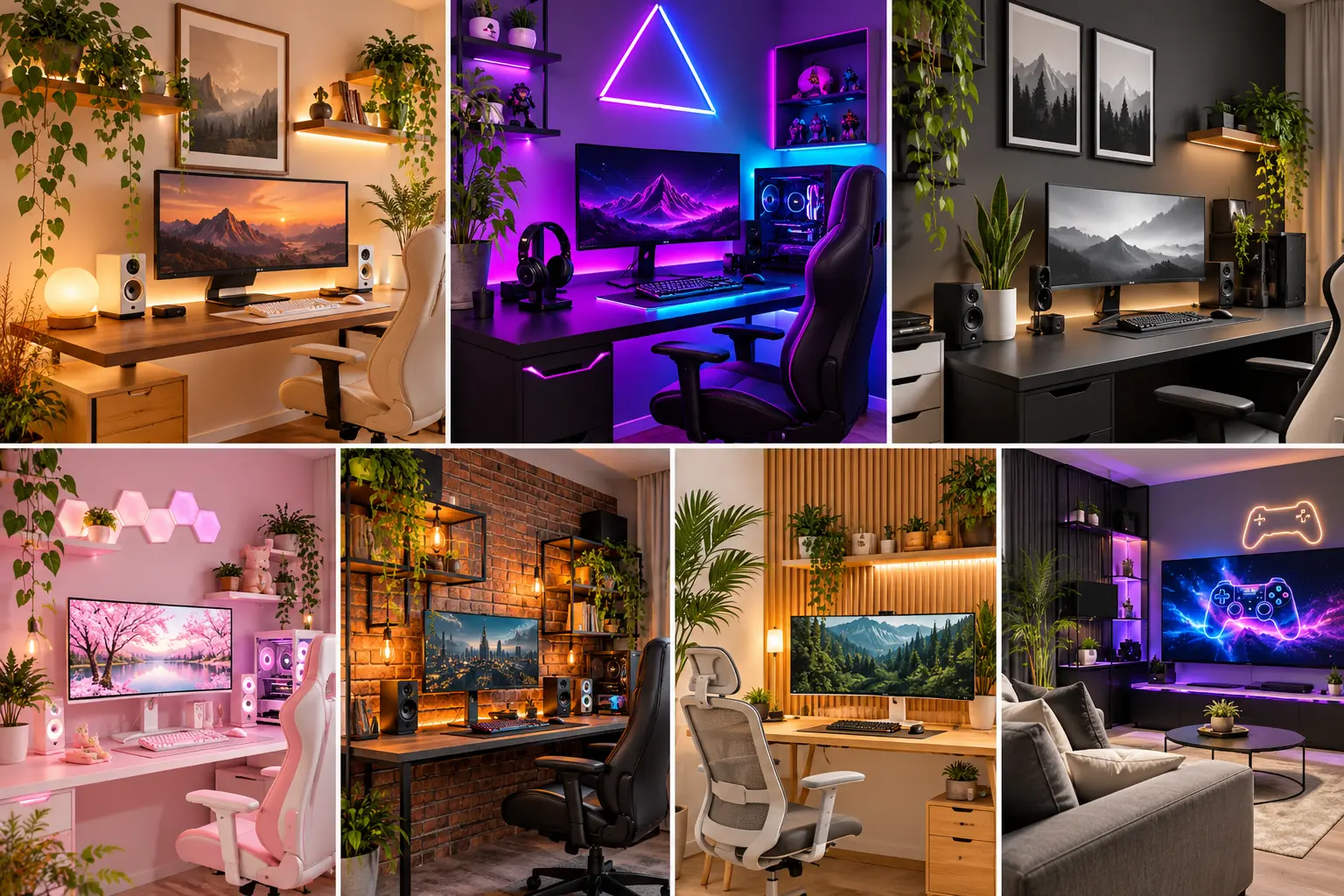
Gaming Setup Room Ideas: 7 Styles That Look Like Home Decor
Picture a room where the first thing you notice isn’t the computer. It’s the light: a soft purple glow sliding across a charcoal wall, a floating shelf holding two plants and a vintage camera, a desk so tidy it looks styled for a magazine. Only after a second look do you spot the monitor, sitting there like it belongs.
That’s the idea behind this whole post. A gaming room doesn’t have to look like a gaming room. It can look like a room you’d happily show to a friend who has never picked up a controller, and still work perfectly when it’s time to play.
If you love decorating but gaming setups have always felt a bit too loud, too techy or too cluttered for your taste, you’re in the right place. I’ve pulled together seven gaming setup room ideas that treat the space like any other room in your home: with a palette, a mood, good lighting and a little restraint.
You’ll find a minimalist setup, a purple RGB room, a black gaming room, wall-mounted shelves, a dual monitor desk, a setup built around a sunset view, and a hexagon LED wall. Each one comes with practical tips, common mistakes to avoid and a “Get the Look” list you can shop from. Let’s get into it.
Table of Contents
Quick Takeaways Before We Dive In ( Gaming Setup Room Ideas )
- Choose one style and commit. A room with five competing themes almost always looks messy.
- Lighting changes the mood more than any piece of gear, so budget for it first.
- Wall space is free storage. Going vertical keeps the desk clear and the room calm.
- Cable management is the cheapest upgrade with the biggest visual payoff.
- Mixing a gaming item with a non-gaming one (a plant next to a console, a framed print above a monitor) is the secret to a room that feels like home.
1. Minimalist Gaming Setup: Gaming Setup Room Ideas
Let’s start with the style that surprises people the most. A minimalist gaming setup isn’t a boring one. It’s a setup where every object earns its place and everything else is simply gone.
Think of a good hotel room. Pale walls, one warm lamp, a desk with nothing on it except a monitor, a keyboard and a mouse. The trick is a tight palette: white, light oak, soft grey and maybe one muted green. When the room is quiet, the screen becomes the star, and your eyes get a break between matches.
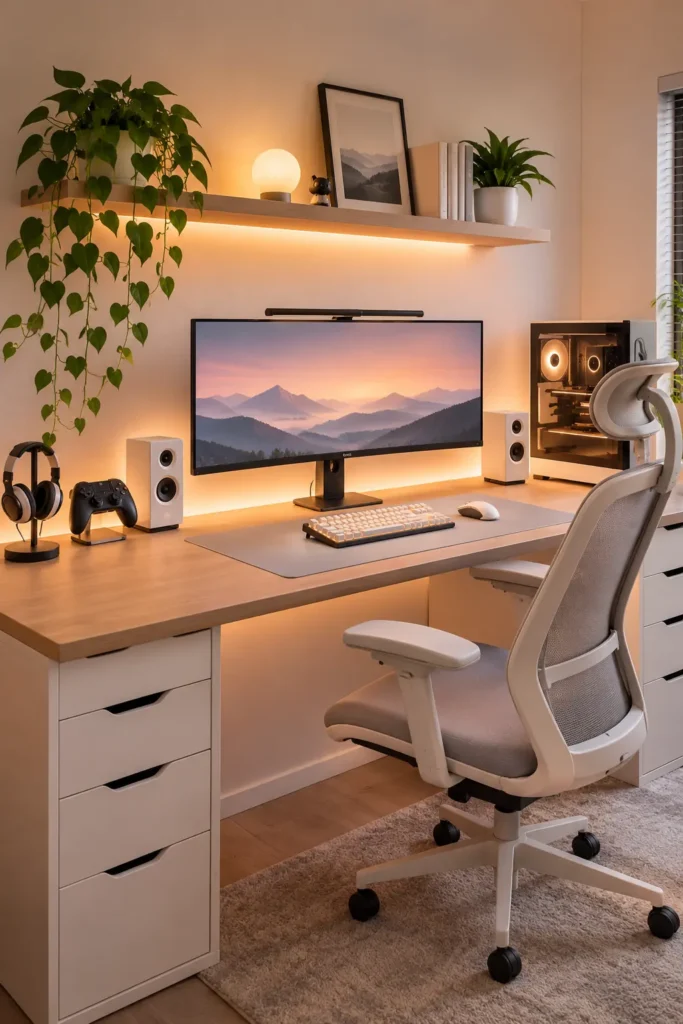
Start with cables, because they’re the first thing that makes a desk look chaotic. A cable tray under the desk and a handful of adhesive clips will do more for the look than any new gadget. Next, pick a keyboard and mouse in a neutral color (wireless if you can) so nothing trails across the surface. Finally, give your headset a proper home, like a slim stand or a wall hook, so it never ends up on the desk.
This style is perfect for small bedrooms, shared spaces, and anyone who gets distracted by mess. One honest warning, though: minimalism takes a bit of discipline. If a new gadget arrives every week, the desk will drift back to clutter. A simple one-in, one-out rule keeps it under control.
Get the Look
- Under-desk cable management tray
- Light oak or white desk with clean lines
- Neutral felt or leather desk mat
- Dimmable warm desk lamp
- Slim headset stand
2. Purple RGB Gaming Room: Moody, Glowy and Very Photogenic
If gaming rooms had a signature color, it would be purple. It sits between cool blue and warm pink, so it feels futuristic and cozy at the same time. A purple RGB gaming room is also one of the easiest styles to photograph, which is great news if you’re planning to share your setup online.
The secret is layering the light instead of flooding the room with it. Put an LED strip behind the desk, a bias light behind the monitor, and a smart bulb in a lamp in the corner. Three soft sources at different heights look far more designed than one harsh glow.
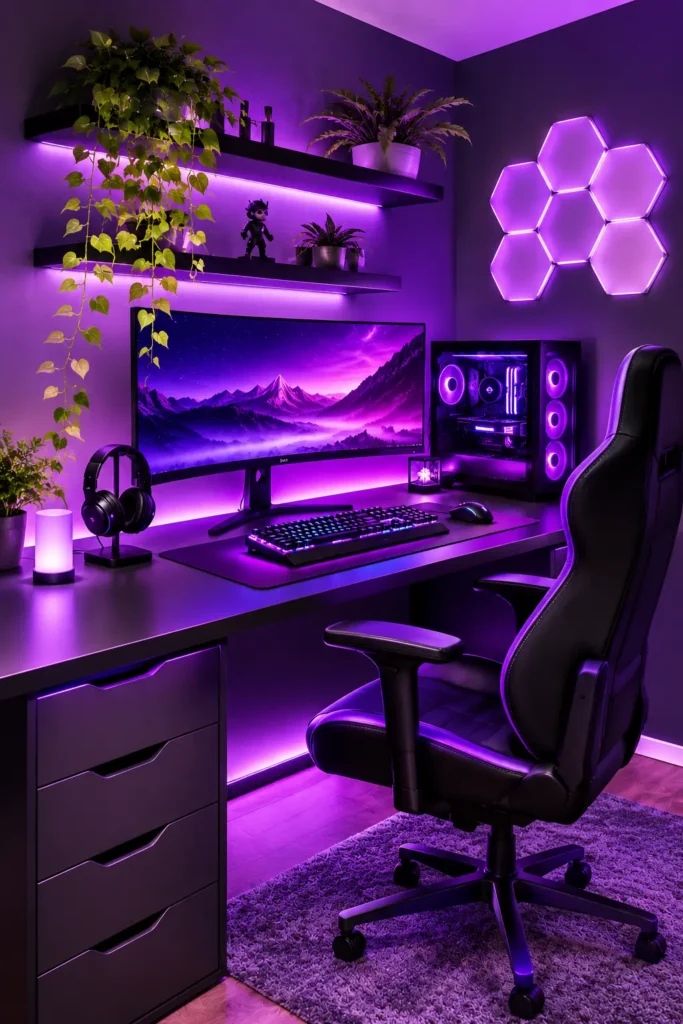
Here’s the part most people get wrong: they leave everything at full brightness. Turn the lights down to roughly 40 to 60 percent and the purple becomes rich and velvety instead of neon and tiring. Your eyes will thank you during long sessions, too. Gaming Setup Room Ideas
Stick to two shades, like deep violet and a lighter lilac, rather than cycling through the whole rainbow. A static color almost always looks more intentional than a moving rainbow wave. A dark grey or navy wall gives the purple something to glow against, and a soft grey rug helps balance all that color.
Get the Look
- App-controlled LED strip lights
- Monitor bias lighting kit
- Smart color bulb for a floor or table lamp
- Matte black or white RGB keyboard
- Soft grey shag or tufted rug
3. Black Gaming Room: Dark, Dramatic and Surprisingly Cozy
Painting a room black sounds scary until you think about a cinema. Dark walls absorb light, which makes your screen pop and cuts reflections almost to zero. That’s exactly why a black gaming room feels so immersive, and why it looks so striking in photos.
The danger is that an all-black room can feel like a void. The fix is texture. Add something warm and tactile, like a wood shelf, a linen curtain, a wool throw or a leather chair, so the room has depth instead of just darkness. Mixing black with charcoal and a touch of deep navy also keeps it from looking flat.
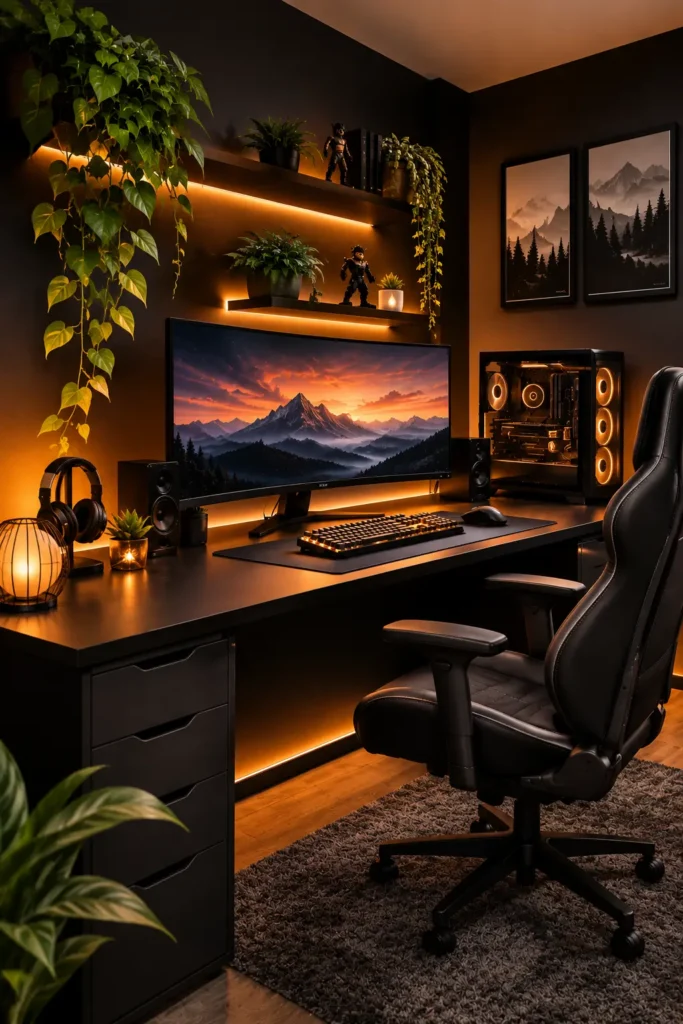
Choose one accent color and let it do the talking. Warm brass gives a luxe, hotel-bar feeling. Crisp white feels modern. A single shade of blue feels sleek and techy. Whatever you pick, repeat it two or three times (a lamp, a frame, a shelf bracket) so it looks planned.
Lighting matters even more in a dark room. Use three layers: a soft light behind the screen, a small lamp for mood, and a gentle wall wash or LED strip to show off the texture of the wall. Skip the overhead light when you play, and keep it for cleaning day. Gaming Setup Room Ideas
Get the Look
- Matte black or charcoal wall paint
- Black desk with warm wood legs
- Blackout curtains in a heavy fabric
- Brass or warm-toned accent lamp
- Textured wool throw or rug
4. Wall-Mounted Gaming Shelves: Go Vertical, Free Your Desk
Almost every gaming desk starts clean and ends buried under controllers, figures, cables and half-empty mugs. If that sounds familiar, don’t look down. Look up. Wall-mounted gaming shelves give you storage and display space without taking a single centimeter from your play area.
A simple formula works well: one long floating shelf above the monitor for collectibles and games, a smaller shelf beside it for books or plants, and a wall mount or hook for controllers and headphones. It turns objects you’d normally hide into part of the decor.
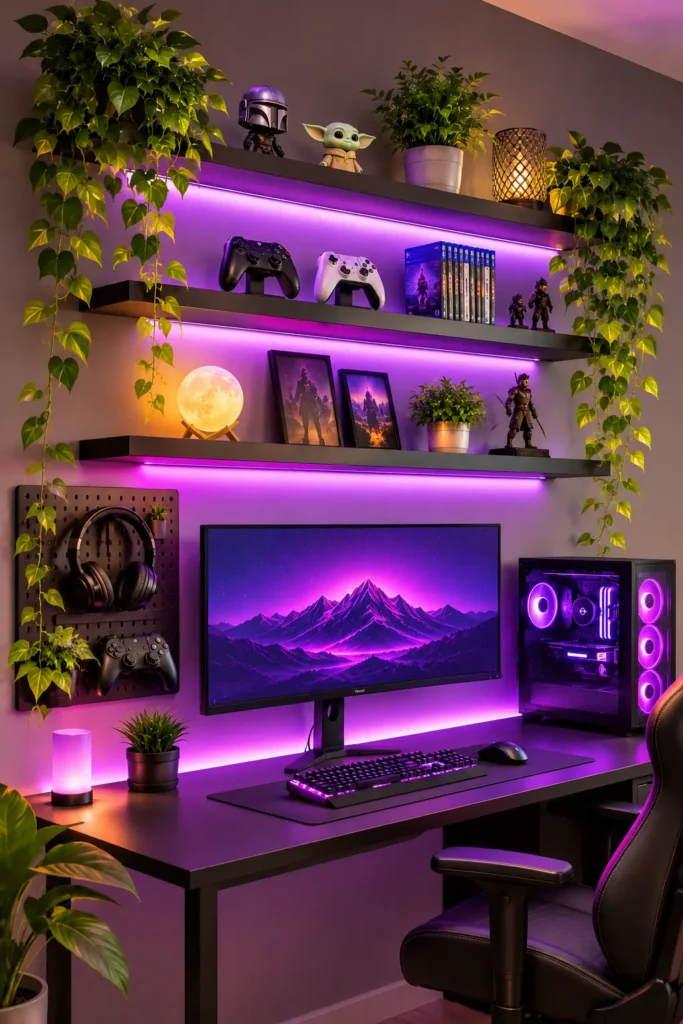
When you style the shelves, group items in threes, mix tall and short pieces, and leave empty space on purpose. Empty space isn’t wasted. It’s what makes the things you did choose look special. Mix gaming items with non-gaming ones, like a small trailing plant, a stack of books, or a framed print, so the display feels personal instead of like a store shelf.
One serious note: use the right anchors for your wall type, and screw into studs when you can. Consoles, figures and books are heavier than they look, and nobody wants a shelf coming down mid-game. Gaming Setup Room Ideas
Get the Look
- Floating shelves in black or natural wood
- LED strip lights for under-shelf glow
- Wall mount for game controllers
- Wall hook for headphones
- Small faux trailing plant
5. Dual Monitor Gaming Setup: Two Screens, Zero Chaos
A dual monitor gaming setup is a favorite with streamers and multitaskers. You play on one screen while chat, music, a guide or a video call lives on the other. It’s practical, but two big black rectangles can also take over a room visually, so the goal is to make them look intentional.
Start with the desk. Two monitors need space to breathe, so look for a desk around 140 cm (about 55 inches) wide at the very least, and a bit more if you can manage it. A cramped desk is the number one reason dual setups feel messy.
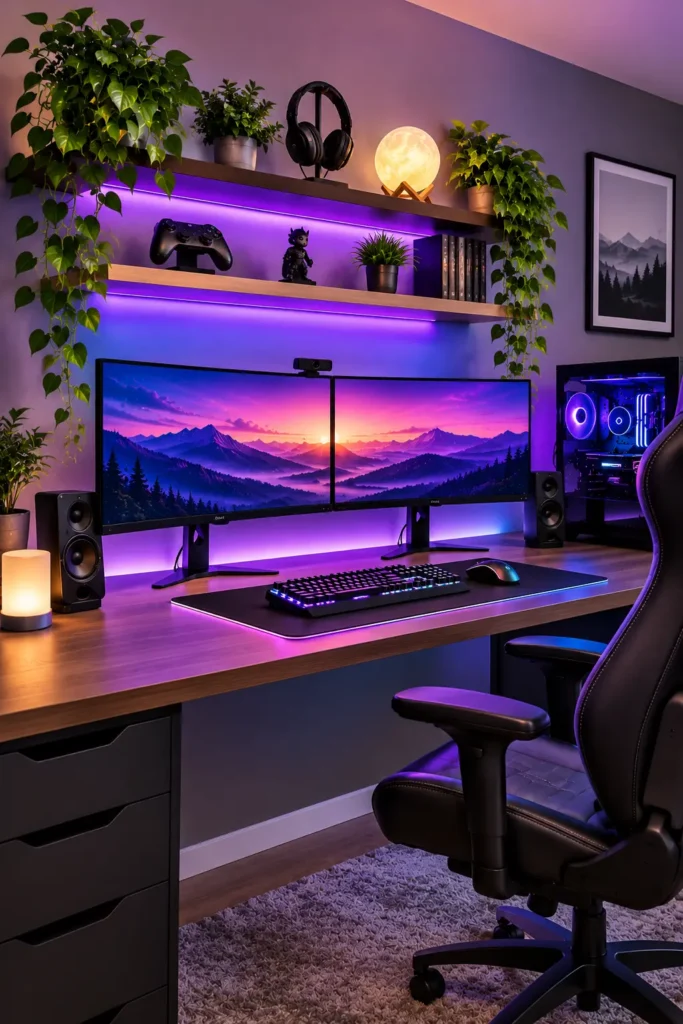
Then add a dual monitor arm. It lifts the screens off the desk, so the surface underneath stays clear and the monitors look like they’re floating. It also lets you set the height properly, with the top of each screen at about eye level, which is kinder to your neck.
Matching monitors in the same size and height make the whole setup look calm and balanced. If your two screens are different, line up the centers and keep the bezels aligned. Tilt the side screen slightly inward so you’re not turning your head all evening. Gaming Setup Room Ideas
Get the Look
- Dual monitor desk mount arm
- Wide desk (140 cm / 55 in or more)
- Extra-large desk mat
- Ergonomic chair with lumbar support
- Cable sleeve or cable cover for the wall
6. Gaming Setup With a Sunset View: Let the Window Be Your Wallpaper
This idea costs almost nothing if you already have the right window, and it’s my favorite for relaxed, story-driven games. Instead of fighting the natural light, you build the setup around it. When the sky turns orange at the end of the day, the whole room becomes part of the scene.
Place the desk beside the window or at an angle to it, rather than directly facing it or having the window right behind you. That way you get the view without glare on the screen. Sheer curtains soften the light further and let you keep the view even in the brightest part of the afternoon.
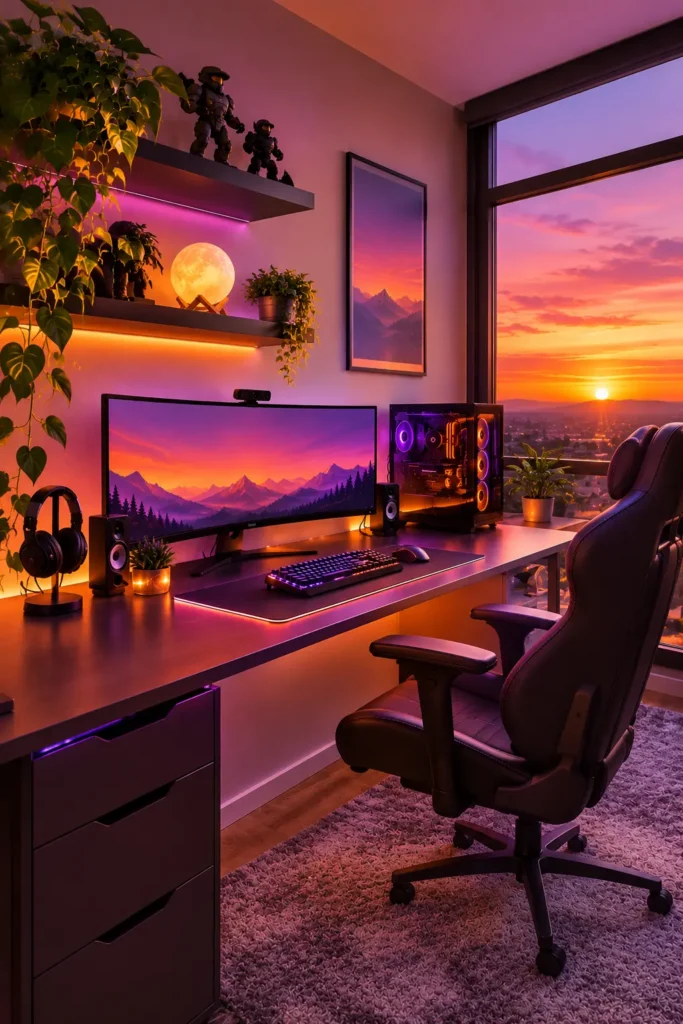
Warm colors make this style sing. Think terracotta, sand, cream and honey-colored wood, with a woven rug and a couple of plants. It feels more like a cozy reading nook that happens to have a PC in it, which is exactly the point.
Don’t forget the evening. Once the sun is gone, switch to warm bulbs (look for a 2700K rating) so the room stays golden instead of turning cold and blue. If you gamed through the best part of the sunset, a dimmable lamp keeps the glow going.Gaming Setup Room Ideas
No window with a view? No problem. A sunset projection lamp casts the same orange-pink gradient onto a plain wall, and it looks great in photos and videos. Not everyone has an ocean outside, but everyone can fake a good golden hour.
Get the Look
- Sheer linen curtains
- Sunset projection lamp
- Warm 2700K smart bulbs
- Trailing plant or plant stand
- Woven jute or cotton rug
7. Hexagon LED Wall Design: The Feature Wall Everyone Notices
If you want one change that makes visitors say “wait, how did you do that?”, this is it. Hexagon LED panels snap together in whatever pattern you like, connect to an app, and glow in any color or gradient. A hexagon LED wall design instantly makes a plain wall look like a custom installation.
The best spot is behind your monitor, because that’s where cameras and eyes naturally land. Before you stick anything to the wall, cut hexagons out of paper and tape them up to try layouts. Honeycomb clusters, diagonal cascades and asymmetric shapes all work, and it’s much easier to move paper than panels.
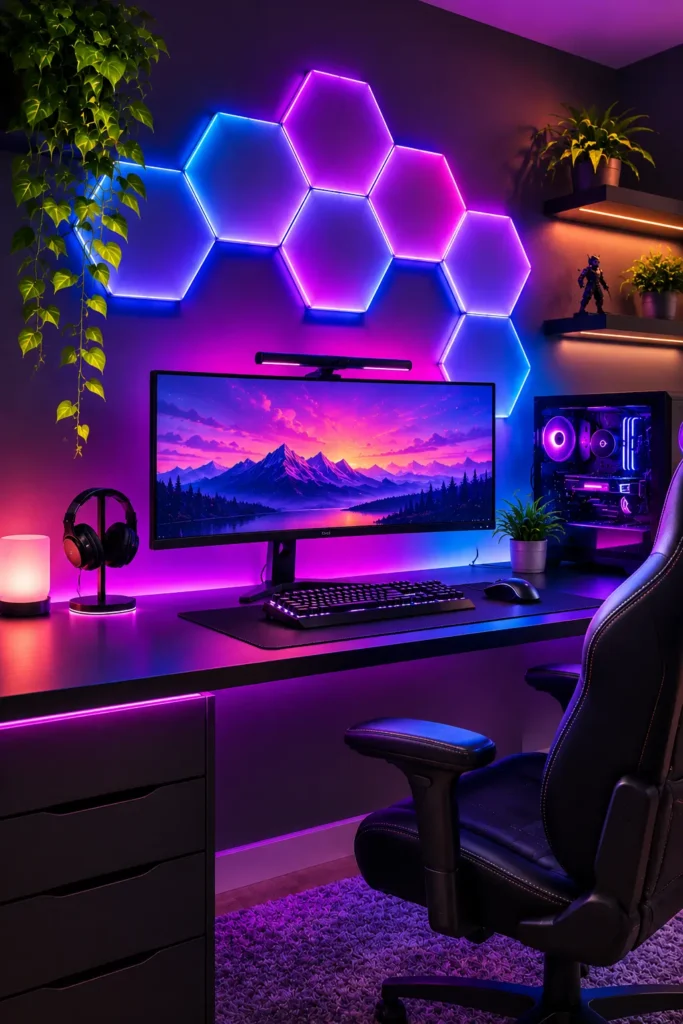
A few design tips: start from the center and build outward, leave some breathing room instead of covering the whole wall, and plan where the power cable will run before you commit. A cable cover painted to match the wall makes the cord almost disappear.
Pair the panels with a dark wall for the most dramatic effect. They also play beautifully with the other styles in this post, such as a purple scene in the purple RGB room or warm amber in the sunset setup. Use the app to try gradients, because a soft two-color blend looks classier than rapid flashing. Gaming Setup Room Ideas
Get the Look
- Hexagon LED panel kit with app control
- Paintable cable cover
- Removable mounting strips
- Dark matte wall paint for contrast
How to Choose the Right Gaming Room Style
Still can’t decide? Ask yourself how you want to feel when you sit down. That answer usually points to the right style.
- Want calm and focus? Go minimalist, or build around a sunset view.
- Want mood and atmosphere? Pick the purple RGB room or the black gaming room.
- Short on desk space? Add wall-mounted shelves first.
- Playing and working on the same desk? A dual monitor setup pays for itself.
- Want a wow factor with a small budget? Hexagon LED panels on one wall.
You can also blend two styles. A black room with a hexagon LED wall is a classic, and a minimalist desk with a sunset window feels like a spa. Just keep one style in charge and let the other play a supporting role.
Frequently Asked Questions
How much does it cost to set up a gaming room?
It depends on how much gear you already own. The decor side can be surprisingly affordable: lighting, a desk mat, cable management and a shelf or two often make the biggest visual difference without a huge spend. Start with lighting and tidying, then upgrade furniture and monitors over time.
Can I combine two gaming room styles?
Yes, as long as one style leads. For example, a black room with a hexagon LED wall, or a minimalist setup with a sunset view. Keep the palette limited to two or three colors, and the combination will look intentional instead of crowded.
How do I stop RGB lighting from looking tacky?
Use fewer colors, lower the brightness and place lights so you see the glow instead of the bulbs. Indirect light behind the desk, monitor or shelves looks more refined than bare strips on show. Static colors or very slow gradients also feel more elegant than fast color-cycling effects.
Can I build a nice gaming setup in a small room?
Absolutely. Small rooms suit minimalist and wall-mounted ideas particularly well, because they free up floor and desk space. Choose a compact desk, go vertical with shelves, keep your palette light or tonal, and let lighting create the mood instead of extra furniture.
Final Thoughts: Build the Room You’ll Actually Want to Spend Time In
A great gaming room isn’t about having the most expensive gear. It’s about making a space that feels like yours, whether that’s a calm minimalist corner, a glowing purple retreat, a dramatic black den, or a golden-hour hideaway with a view.
You don’t need to try all seven ideas at once. Pick the one that matches how you play and how you like to feel at home, and start with the easy wins: lighting, cable management and one shelf. Everything else can come later, one piece at a time.
Which style are you most tempted by? Tell me in the comments, and if this post gave you ideas, save it to your Pinterest board so it’s waiting when you’re ready to sta
Disclosure: This post contains affiliate links. If you buy through them, I may earn a small commission at no extra cost to you.